Launch HN: Unlayer (YC W22) – Add email and document builders to your app
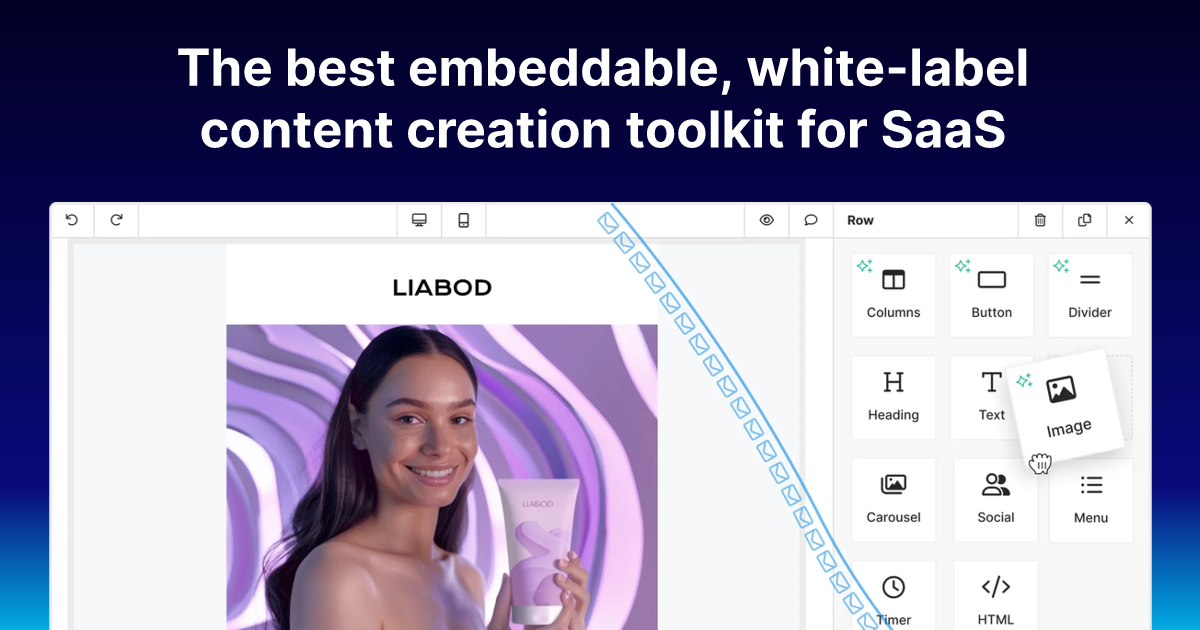
Hi HN, We’re Adeel and Umair, co-founders of Unlayer (https://unlayer.com/). We let you add content creation to your applications without having to build an entire editor, renderer, template, and export stack yourself. Unlayer lets you create emails, web pages, and documents inside your app, in three different ways: in code, visually, or with AI.
Here’s a demo: https://www.youtube.com/watch?v=0HsDtNkdMpM.
We started with an embeddable email editor because a lot of products eventually need one: CRMs, marketing tools, customer engagement platforms, marketplaces, internal tools, and vertical SaaS apps all run into this at some point. At first, it sounds like a small feature: "just" add a drag and drop editor. In practice, it turns into a big pain. You end up dealing with email rendering, Outlook quirks, responsive layouts, templates, merge tags, image uploads, exports, permissions, localization, versioning, and a long tail of edge cases that have nothing to do with your core product
Over time, we saw the same problem beyond email. Apps also need landing pages, invoices, proposals, reports, contracts, and PDFs. Some of this content is best created visually by end users. Some of it is better generated in code by developers. Increasingly, some of it is also generated by AI agents. Many teams eventually need all three workflows. That is the direction we have been working toward with Unlayer.
There are three parts we are showing today:
(1) Unlayer Elements. This is our open-source React component library for creating emails, pages, and documents in code (repo: https://github.com/unlayer/elements, more at https://unlayer.com/elements). Instead of hand-writing raw HTML templates, developers can compose content using React components, reuse sections like headers, footers, CTAs, invoice rows, and branded blocks, keep templates in Git, and render them into production output.
One newer use case we are seeing is AI-assisted content creation. If an AI agent is asked to create an email, invoice, report, or landing page, the output is usually raw HTML or markdown that becomes hard to maintain. With Elements, the agent can generate structured React components instead. A developer can review the result, refactor it, keep it in Git, and still pass the design into a visual builder later if someone needs to edit it.
(2) Visual Builder. This is the drag and drop editor (repo: https://github.com/unlayer/react-email-editor, more at https://unlayer.com/email-builder) that can be embedded inside an app so non-technical users can create or edit content. In the demo, we show the email builder and the AI assistant inside the builder. The goal is not to replace the developer workflow, but to connect it with a visual workflow when marketers, admins, customers, or internal teams need to make changes themselves.
(3) Document Builder. This is for structured documents such as proposals, reports, invoices, contracts, and PDFs. We have seen a lot of teams build separate systems for email templates, web pages, and document generation, even though the underlying primitives are similar: layout, content blocks, variables, assets, preview, export, and permissions. More: https://unlayer.com/document-builder
The technical challenge is making these workflows share a common foundation. Developers should be able to build templates in code when that makes sense. End users should be able to edit visually when that makes sense. AI agents should be able to generate structured content instead of unmaintainable blobs. The final output should still be usable by the host application.
We make money by selling hosted builder, template, export, and platform features to companies embedding this into their products. Elements is open source. The commercial product is the broader hosted platform around builders, collaboration, storage, exports, and production use cases.
We were part of W22, so this is a late Launch HN. At the time, Unlayer was an embeddable email editor, and we did not think we had the right broader story for HN yet. Since then, the product has expanded into a more general content creation layer for products, including emails, pages, documents, APIs, open-source developer projects, and AI-assisted workflows. That felt like a better moment to bring it to HN and ask for feedback.
We'd really appreciate thoughts from HN. This is one of those areas where a lot of people have strong opinions because they’ve been burned by editors, email HTML, document editing, or “simple” content workflows before. We'd love to hear what resonates, what sounds wrong, and what you think we should be thinking harder about!
Comments URL: https://news.ycombinator.com/item?id=49008901
Points: 5
# Comments: 1
Related Markets
All MarketsMarket data may be delayed. Not financial advice.
💡 AI analysis provides alternative perspectives on current events



